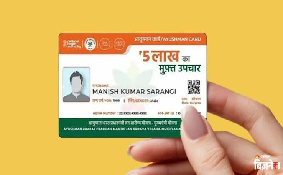

The Ayushman Bharat Pradhan Mantri Jan Arogya Yojana (AB PM-JAY), also known as the Ayushman Yojana, provides eligible families with cashless medical treatment worth up to Rs 5 lakh per year. The central government scheme allows beneficiaries to receive treatment at empanelled government and private hospitals across India.
However, beneficiaries may need to update their KYC details to continue accessing the scheme’s benefits. If details such as your name, date of birth, photograph, or Aadhaar information are incorrect or outdated, you should check whether your Ayushman Card requires an update.
Ayushman Card e-KYC: Why Is It Important?
The e-KYC process helps verify beneficiaries’ identities and keep their details updated in government records. If your verification is incomplete or your details need correction, you may face difficulties accessing benefits until the issue is resolved.
Eligible beneficiaries can complete the e-KYC process online using the official Ayushman app. This allows users to verify their details from home without necessarily visiting a service centre.
Ayushman Card e-KYC Update: How to Complete It Online
- Download and install the official Ayushman app on your smartphone.
- If you want to use face authentication, download and install the Aadhaar FaceRD app as well.
- Open the Ayushman app and select the Beneficiary option. Enter your registered mobile number and log in using the OTP sent to your phone.
- Select your state, scheme, and district from the available dropdown menus.
- Search for your beneficiary details using your Aadhaar number or ration card number, depending on the options available.
- Find your name in the list of family members and select the e-KYC or Redo e-KYC option.
- Verify your identity using one of the available methods, such as Aadhaar OTP or face authentication.
- Enter the required information. If the app asks you to upload a live photograph, follow the instructions and submit your request.
- After submission, your details will be sent for verification. The approval process may take some time, depending on the verification requirements.
Once your e-KYC is approved and your status is updated, check the app for the option to download your updated Ayushman Card.
What Happens After You Submit Your e-KYC?
After submitting the request, beneficiaries should check their application status through the official app or the available beneficiary portal. If verification is pending, wait for the status to be updated. If the request is rejected or additional information is required, follow the instructions provided through the official system.
Beneficiaries should also ensure that their Aadhaar and other submitted details are correct to avoid delays during verification.